


Conversion Tracking in 2026: The Complete Guide to Accurate Attribution
On this page
Conversion tracking is how you measure which ads, channels, and campaigns produce real revenue. In 2026, that’s harder than it should be. Browsers block tracking, conversions happen across a dozen disconnected tools, and every ad platform reports a different number. This guide breaks down why tracking breaks, what changed, and how to fix it.
What Is Conversion Tracking?
Conversion tracking is the practice of recording when a visitor completes a valuable action (a purchase, a lead, a signup, a booked call) and tying that action back to the traffic source that drove it. Done right, it tells you which campaigns make money and which ones burn it. Done wrong, you scale on numbers that aren’t real.
The problem is that a conversion almost never happens in a single, neat place. It happens on your site, on a checkout system, inside a CRM days later, or on an affiliate network’s server. Conversion tracking is the layer that collects all of those events and unifies them under one source of truth.
Why Conversion Tracking Breaks in 2026
The tracking landscape has changed more in the past two years than in the previous decade. Browsers, devices, and regulations now default to privacy-first behavior, and the tools marketers relied on (third-party cookies, browser-only tags) no longer deliver accurate data.
Even though Google walked back its plan to kill third-party cookies in Chrome, the direction is clear: third-party, cross-site tracking is no longer dependable. Meanwhile:
- Safari and Firefox block third-party cookies by default.
- Safari’s Intelligent Tracking Prevention (ITP) caps cookie lifetimes at 7 days or less.
- iOS App Tracking Transparency limits browser-side tracking.
- Ad blockers strip tracking tags before they load.
- Meta and Google increasingly reward advertisers who send server-side, first-party conversion data.
Industry estimates suggest that without server-side tracking, 20% to 30% of conversions are lost to ad blockers and browser restrictions. That’s not a rounding error. It’s a fifth of your revenue invisible to the algorithms making your bidding decisions.
The fix is a tracking model built on first-party identifiers, server-side event delivery, consent-aware data handling, and cross-platform unification. Marketers who build a first-party data strategy are 1.5X more likely to outperform competitors who don’t (Google/Kantar, 2024).
Conversion Tracking Across Marketing Models
Conversion tracking isn’t one problem. It’s a different problem for every business model, because the conversion fires in a different place each time.
eCommerce
You need to track add-to-cart, checkout, purchases, refunds, and subscription renewals. Each event feeds ROAS calculations and budget decisions. The catch: your store (Shopify, WooCommerce) fires the purchase server-side, while your ads live on Meta and Google. If those two don’t talk, Meta says you got 80 conversions and Shopify says 40. The fix is a server-side, deduplicated feed: this playbook shows how to send Shopify purchases to the Meta Conversions API so the two report the same sales.
Affiliate Marketing
If you run a comparison site or promote offers, you track click-outs to affiliate offers and the sales, leads, or rebills that follow. The affiliate network fires the conversion on its own server, not your site. Without a way to ingest those postbacks and attribute them back to the original click, you only ever see clicks. If Google Ads drives that traffic, this playbook closes the loop: track affiliate commissions back to your Google Ads campaigns so Smart Bidding optimizes on commissions and EPC instead.
Lead Generation
Lead gen looks simple: redirect to a thank-you page. But the conversions that matter (leads that buy, calls that close, CRM-qualified deals) happen days later, offline, inside your CRM. Optimizing on form fills instead of closed deals trains your ad platform on the wrong signal.
Agencies
Agencies juggle multiple clients, platforms, conversion types, and tech stacks. Every account needs accurate attribution, and reconciling all of it by hand each Monday is where the hours disappear.
What Is Conversion Attribution?
Conversion attribution is the system that decides which marketing touchpoint gets credit for a conversion. Tracking tells you a sale happened. Attribution tells you which campaign, channel, and click made it happen. Without it, your conversions are just numbers with no direction.
AnyTrack uses last-ad-click attribution based on first-party data and UTM parameters, with a configurable attribution window (1, 7, 30 days, or maximum). It supports multi-channel attribution across organic, paid, email, and social, so you can see the full path that led to revenue, not just the last step before it.
Client-Side vs Server-Side Conversion Tracking
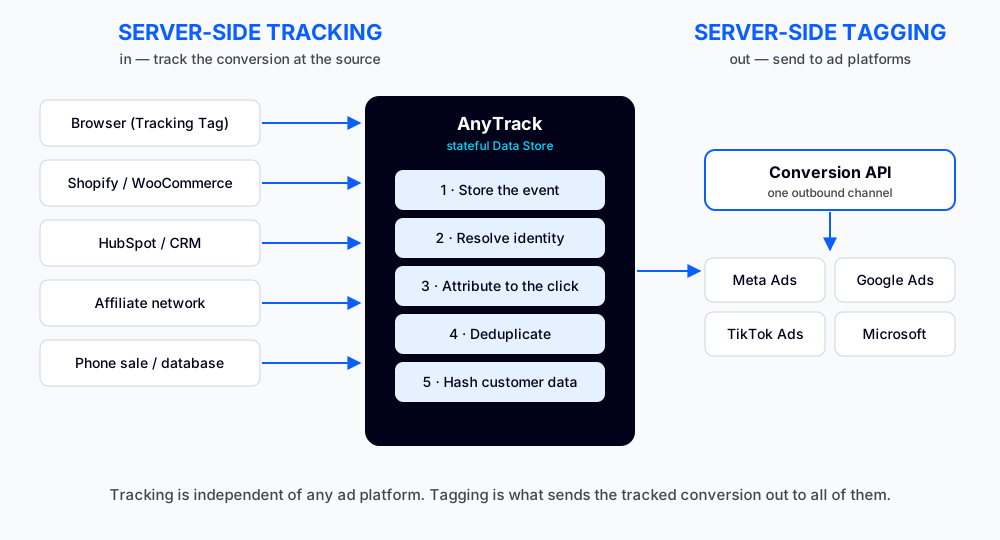
Traditional client-side tracking loads a tag in the browser when a visitor reaches a page. It’s fragile by design. Server-side tracking sends conversion data directly from a server to ad platforms through their Conversion APIs, where ad blockers and browser restrictions can’t touch it.
| Client-Side Tags | Server-Side Tracking |
|---|---|
| Blocked by Safari, Firefox, and ad blockers | Always delivers |
| Depends on third-party cookies | Uses first-party identifiers |
| Breaks across domains | Unified across the funnel |
| Can’t see offline or CRM conversions | Ingests external conversions |
| Degrades as cookie lifetimes shrink | Stable over time |
Server-side delivery isn’t a nice-to-have anymore. Google’s own data shows server-side tagging recovers an 11% uplift in conversion signals that client-side tracking misses (Google Data, 2025).
How AnyTrack Tracks Conversions
AnyTrack connects your website, your conversion sources, and your ad platforms through one tracking layer. Here’s how it works in three steps.
Step 1: Install the Tracking Tag
AnyTrack runs as a first-party JavaScript Tracking Tag on your website.
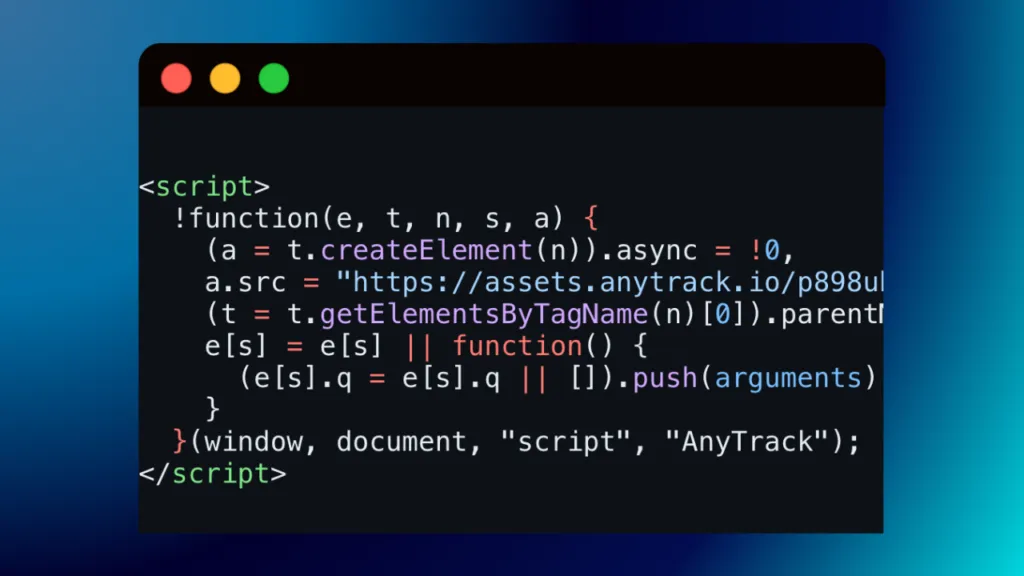
Because it’s first-party, the Tracking Tag fires from your own domain instead of an external tracker, so it isn’t blocked the way third-party tags are. Once installed, it collects page views, form submissions, outbound clicks, add-to-cart events, purchases, and any custom events you define.
Step 2: Connect Your Conversion Sources
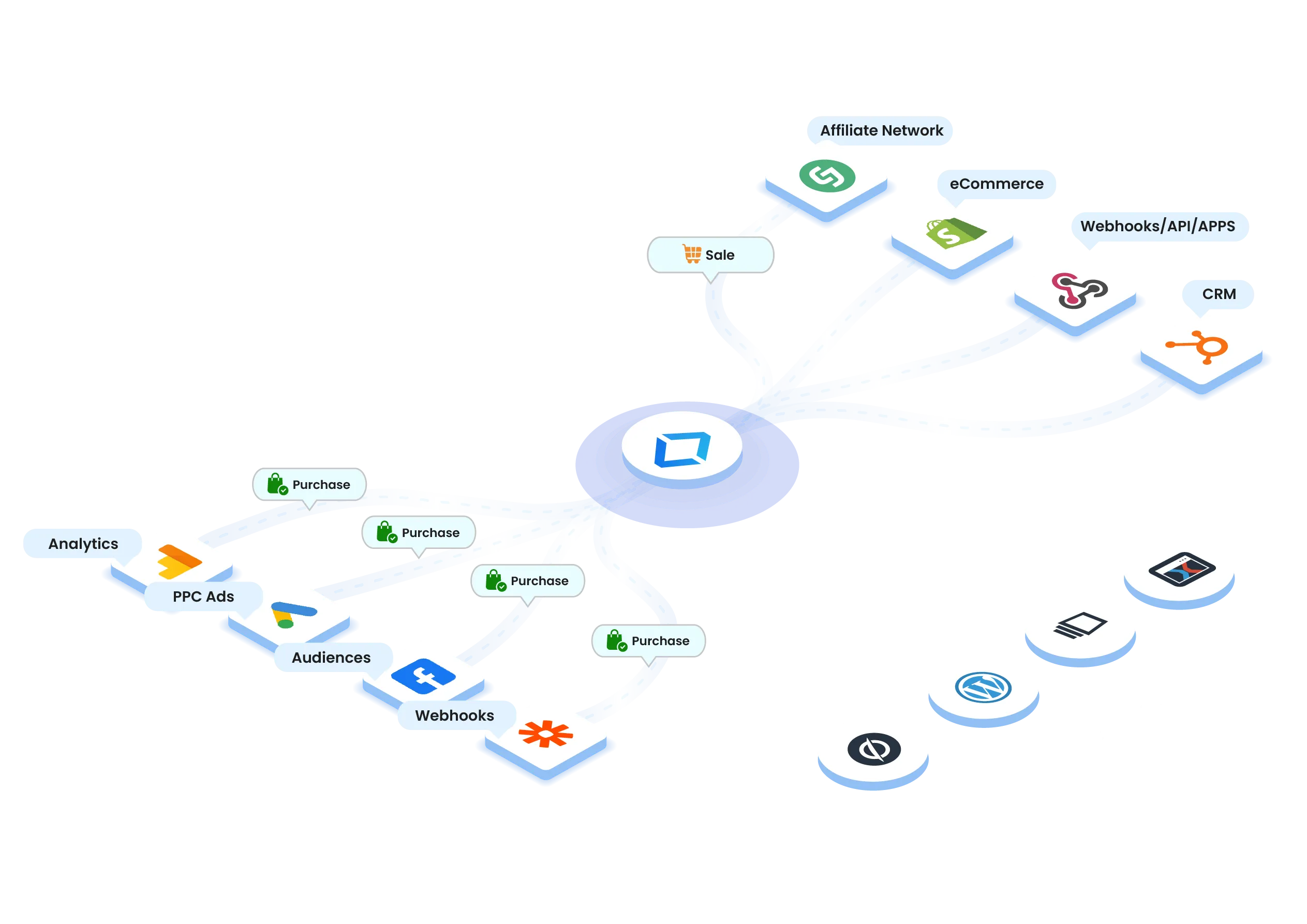
This is where AnyTrack becomes a conversion hub. Connect the platforms where conversions actually happen:
- eCommerce: Shopify, WooCommerce, ThriveCart, SamCart, ClickFunnels
- Lead generation: Typeform, Unbounce, Calendly, HubSpot, GoHighLevel
- Affiliate networks: CJ, Impact, ClickBank, Awin, and 70+ others
When a conversion happens on one of these platforms (someone buys through an affiliate link, books a call in Calendly, or upgrades a week later in your CRM), AnyTrack ingests it server-side and attributes it back to the original traffic source.
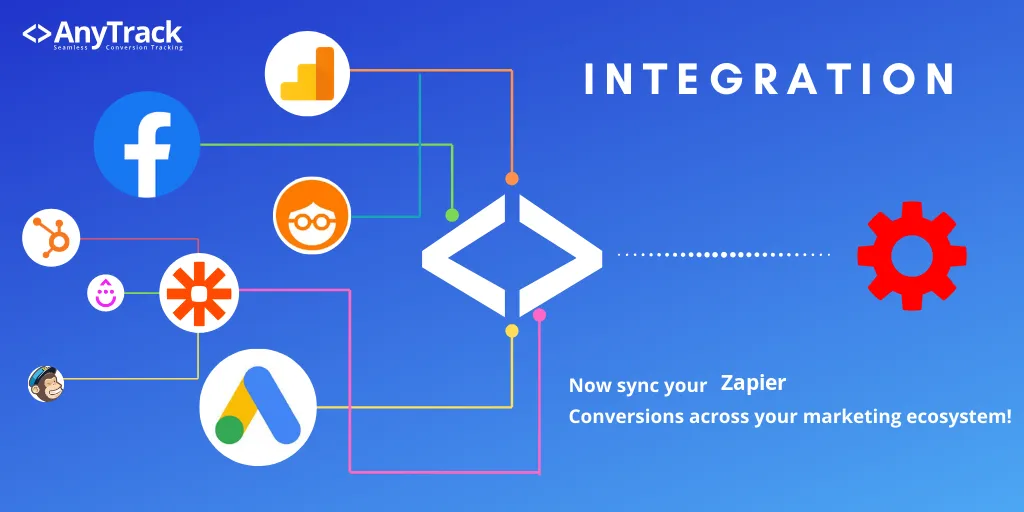
Step 3: Distribute Conversions to Ad Platforms and Analytics
AnyTrack doesn’t just collect conversions. It enriches each one with the identifiers and attribution data it has stored, then sends it server-side to the platforms that need it:
- Google Analytics 4 (Measurement Protocol)
- Google Ads (Enhanced Conversions and Offline Conversions)
- Meta Conversion API
- TikTok Ads, Microsoft Ads, Taboola, and Outbrain
- Custom webhooks for your CRM, dashboards, or reporting tools
The result: your ad platforms receive complete conversion data even when the conversion happened outside your website. Better data in means smarter bidding, more accurate ROAS, and confident scaling.
Conversion Tracking by Ad Platform
Every ad platform exposes its own server-side API, each with different field names, hashing rules, and event names. AnyTrack handles the translation so you connect a platform once and it delivers the right format automatically.
Meta (Facebook) Conversion API
Meta now treats the Pixel (renamed Dataset in Events Manager) as one of several sources feeding a single container. With AnyTrack, the Meta Pixel fires only the PageView event and sets the _fbp cookie and collects the fbclid. Every conversion event (ViewContent, AddToCart, Purchase, and custom events) is sent exclusively through the Meta Conversion API server-side.
That design removes the duplicate-counting problem at the source: because conversions never fire from the browser, there’s no double signal to reconcile. AnyTrack still attaches an event ID to every server-side event for clean tracking in Events Manager. The richer the identifiers AnyTrack sends (hashed email, phone, fbp, fbc), the higher your Event Match Quality and the better Meta can attribute and optimize.
Google Ads Enhanced Conversions
Google Ads uses Enhanced Conversions to receive hashed first-party data (email, phone, address) alongside each conversion event. AnyTrack collects those identifiers at conversion time, hashes them, and forwards them with every conversion. This recovers attribution for users whose ad click predates Google’s cookie window, and it improves Smart Bidding.
TikTok and Microsoft Ads
TikTok’s Events API and Microsoft Ads both accept server-side conversions with their own click identifiers (ttclid and msclkid). AnyTrack maps each conversion to the right event name, hashes customer data, and forwards the click ID so attribution survives even when browser cookies are missing.
Cross-Domain Conversion Tracking
If your funnel spans multiple domains you own (a blog on one domain, a shop on another), browsers treat each domain as a separate world. The first-party data stored on your blog is invisible to your shop by design, which breaks attribution: the conversion gets credited to “blog.com / referral” instead of the ad that started the journey.
Cross-domain tracking solves this by carrying the session and campaign identifiers across the hop, so a purchase on the shop is attributed back to the original ad click.
What to Do Next: Your 2026 Tracking Checklist
- Audit your conversion sources. List every place a conversion fires: checkout systems, CRMs, affiliate networks, lead forms.
- Move to a first-party, server-side model. Replace fragile browser-only tags with a unified server-side layer.
- Connect GA4, Google Ads, and Meta Conversion API. Make sure your analytics and ad platforms receive complete data.
- Standardize your events. Use consistent names like
Purchase,Lead,AddToCart, andCompleteRegistration. - Send attributed conversions back to ad platforms. This is what powers value-based bidding and confident scaling.
- Build first-party audiences. They outperform third-party audiences in a privacy-first world.
- Consolidate instead of fragmenting. Your tracking should run through one layer, not eight disconnected tools.
Key Takeaways
- Conversion tracking ties valuable actions back to the campaigns that drove them. Without it, you optimize on guesses.
- Browser-only tracking is no longer enough. Industry estimates put conversion loss at 20% to 30% without server-side delivery.
- Server-side tracking is the foundation. It bypasses ad blockers and browser restrictions, and recovers signals client-side tracking misses (Google Data, 2025).
- Conversions happen everywhere. eCommerce platforms, CRMs, and affiliate networks fire conversions off-site, so you need a hub that ingests and attributes them.
- First-party data is a competitive moat. Marketers with a first-party strategy are 1.5X more likely to outperform (Google/Kantar, 2024).
- AnyTrack unifies all of it. One Tracking Tag collects events, connects your conversion sources, and distributes enriched conversions to every ad platform automatically.
Frequently Asked Questions
What is conversion tracking?
Conversion tracking records when a visitor completes a valuable action (a purchase, lead, signup, or booked call) and ties that action back to the traffic source that drove it. It's how you know which ads and campaigns produce real revenue.
What's the difference between client-side and server-side tracking?
Client-side tracking loads a tag in the browser, which ad blockers and privacy features routinely break. Server-side tracking sends conversion data directly from a server to ad platforms through their Conversion APIs, bypassing the browser entirely. Server-side delivery is more reliable and recovers conversions that client-side tracking loses.
Why do Meta and Shopify report different conversion numbers?
They use different attribution models, windows, and data sources. Meta counts post-click and post-view conversions within its own window, while your store counts completed orders. Browser tracking loss widens the gap further. A unified server-side layer that deduplicates and attributes conversions closes most of it.
Do I still need the Meta Pixel if I use the Conversion API?
Yes, but only for the PageView event and cookie initialization. With AnyTrack, the Meta Pixel sets the _fbp cookie and collects the fbclid, while every conversion event is sent server-side through the Conversion API. The Pixel provides the identifiers that make server-side matching work.
How does AnyTrack track conversions that happen on affiliate networks or in a CRM?
Affiliate networks send conversions to AnyTrack through postback URLs, and CRMs send them through integrations or webhooks. AnyTrack matches each off-site conversion back to the original click using stored first-party identifiers, then forwards the attributed conversion to your ad platforms.
What attribution model does AnyTrack use?
AnyTrack uses last-ad-click attribution based on first-party data and UTM parameters, with a configurable attribution window (1, 7, 30 days, or maximum). It supports multi-channel attribution across organic, paid, email, and social traffic.
Connect Every Conversion to Real Revenue
Accurate tracking isn’t a technical chore anymore. It’s the difference between scaling what works and burning budget on what doesn’t. AnyTrack gives you one tracking layer that recovers every conversion, attributes it to the right campaign, and sends it back to your ad platforms server-side. No engineering team required. To put it into practice, pick the step-by-step tracking playbook that matches your stack (Shopify, ClickBank, GoHighLevel, and more) and follow it end to end.

Laurent Malka is the Co-Founder of Anytrack. He was born and raised in Switzerland, and now lives and works in Israel. He is a serial entrepreneur with over 15 years of experience in marketing and business development. Laurent has been a panelist and speaker at numerous digital marketing events including SEMrush and IG Affiliates. He prides himself on his ability to connect the dots across disciplines, industries, and technologies to solve unique challenges.
Related posts
 Laurent Malka
 Postback URL: Real Example, Parameters & How to Test It
 Laurent Malka
 Server-Side Tracking vs Server-Side Tagging: What's the Difference?
 Laurent Malka