



IN THIS PLAYBOOK · 9 SECTIONS 
What You'll Build
Run one review page on ChatGPT Ads and Google Ads, and let both platforms learn from the shoppers who buy. One shopper searches Google for “best space heater for a small office.” Another asks ChatGPT the same question and sees your ad next to the answer.
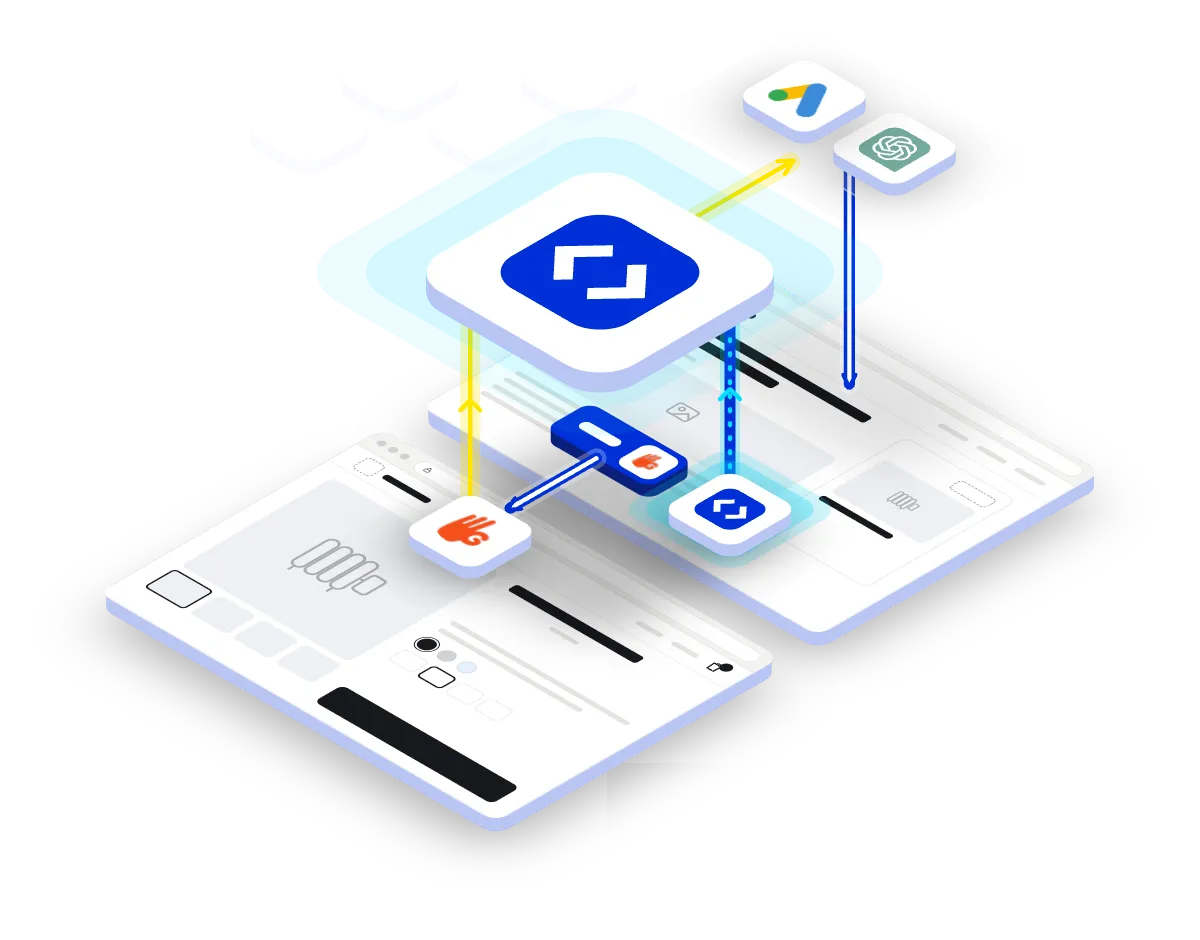
This playbook brings GiddyUp’s cart, checkout, and sale events back to the visit that started them. AnyTrack sends each one server-side to ChatGPT Ads and Google Ads at the same time, the moment GiddyUp posts it back.
- Both platforms see the shopping. Each one learns which of its clicks turned into shoppers, so neither bids on clicks alone.
- One commission, one score. The Campaign Report credits each commission to one ad click, so you split budget on real sales.
- A new channel that learns early. ChatGPT Ads starts on checkouts, which arrive sooner than sales, and moves to sales as their volume grows.
The data does two jobs on each platform. It measures and attributes your conversions, and it shapes who sees your ads next: Google builds audience segments from it, and ChatGPT Ads steers delivery toward the shoppers it describes.


The Journey of a Tracked Conversion
Follow one shopper from a ChatGPT answer or a Google search, through the GiddyUp offer, to a cart, a checkout, and a sale that both platforms learn from.


 ChatGPT Ads
 Google Ads
 ChatGPT Ads Google Ads ChatGPT Ads Google Ads ChatGPT Ads Google Ads
Steps marked with the AnyTrack node run automatically. No extra code, no manual tagging.
Example Scenario
You run a review site for home gadgets and promote GiddyUp ecommerce offers. Your space heater review already pays on Google Search, and you want the same shoppers where they now ask the question: inside ChatGPT.
The merchant behind your offer posts back three steps through GiddyUp: a cart, a started checkout, and the sale with your commission. Three things have to happen:
- Tie every step to the ad click. The offer click, the cart, the checkout, and the sale all trace back to the ChatGPT or Google click that started the visit.
- Send each step to both platforms at once. ChatGPT Ads and Google Ads get each step the moment GiddyUp posts it, so both learn who is shopping before the first sale.
- Keep one score. The Campaign Report credits each commission to one ad click, so you split budget on real sales.
The shopper adds to cart, starts checkout, and buys on the merchant’s page, where neither ad platform can see it. Steps 1 to 4 bring those events back. Until then, both platforms bid on clicks alone.
- An AnyTrack account on Starter or above (the ChatGPT Ads connection, the Conversion API, and audience building require a paid plan)
- An active GiddyUp affiliate account, with access to its postback settings
- GiddyUp ecommerce offers whose merchants post back cart and checkout events, not only the sale
- An offer in a category ChatGPT Ads accepts, such as consumer goods, travel, education, or digital products
- Admin access to your ChatGPT Ads account in OpenAI Ads Manager, and Standard or Admin access to Google Ads
- Your own review or presell pages where you can install the Tracking Tag
OpenAI reviews the advertiser, the ad, and the landing page. Health claims, gambling, dating, and most financial offers are disallowed or need manual approval. Read the OpenAI ad policies before you build.
Step 1: Install the Tracking Tag
Paste the Tracking Tag before </head> on your review and presell pages. On every visit it does two jobs for this stack:
- It records which ChatGPT Ads or Google Ads click brought the visitor, so every later step credits the right campaign.
- It tags every GiddyUp offer link so the merchant’s events find their visit, and tracks each click to the offer as an
OutboundClick.
Neither ad platform’s click ID has to survive the redirect. AnyTrack keeps it with the visit and attaches it when GiddyUp posts back. For each install method, read the Tracking Tag install guide in the knowledge base.
Open your page with ?oppref=test on the URL and hover a GiddyUp offer link. Its sub5 parameter should already carry a click ID.
Step 2: Connect GiddyUp
- In AnyTrack, open the Integration Catalog, install GiddyUp, and copy the postback URL.
- In your GiddyUp affiliate dashboard, open the postback settings and add a postback: Status Active, Type Conversion, Postback Level Global, Delivery Method Postback.
- Paste the postback URL exactly as AnyTrack provides it, and save.
- For each journey event your merchant sends, such as cart creation or checkout started, add a new postback, select the event, and paste the same URL unchanged.
- In AnyTrack, open the GiddyUp integration’s Event Mapping. Map the cart event to
AddToCartand the checkout event toInitiateCheckout, then save.
A conversion with a payout arrives as Purchase, with your commission as its value. Every other event arrives under the name the merchant gave it, which is why step 5 matters. The GiddyUp guide in the knowledge base has the full setup.
Confirm each event in the integration’s Event Log. The Event Log guide in the knowledge base shows how to read each entry. In GiddyUp, the Sub5 Report under Reports shows the click IDs your links pass.
AnyTrack maps each new GiddyUp event to Lead until you change it. Map carts and checkouts before you launch, or both platforms receive them as leads.
Step 3: Connect ChatGPT Ads and Map Your Events
- In AnyTrack, open Tracking Pixels.
- On the ChatGPT Ads card, click Connect Pixel, then click Connect ChatGPT Ads.
- Click Open Ads Manager. In Ads Manager, open Settings, then General.
- Under API Keys, click Create New Key and copy the key.
- In AnyTrack, paste the key in the Ads API key field and click Connect account.
- Under Choose a conversion pixel, select your pixel or click Create a new pixel, then click Connect.
- On the pixel’s Conversions tab, confirm that Enable server-to-server tracking is on.
- Under Conversion Event Mapping, confirm that
AddToCartmaps toitems_added,InitiateCheckouttocheckout_started, andPurchasetoorder_created. - Select the checkbox on the
OutboundClickrow, selectcontents_viewedfrom the drop-down list, and click Save. - Copy the template in the pixel’s Tracking template panel.
- In Ads Manager, open each campaign with Edit campaign and paste the template in Landing page query parameters.
OutboundClick has no default ChatGPT Ads mapping. Step 9 gives ChatGPT Ads the same engagement signal Google gets.
For every mapped event, AnyTrack creates the matching standard conversion event in your ChatGPT Ads account, ready to pick as a campaign goal. The ChatGPT Ads guide in the knowledge base has the full flow.
The Tag loads the ChatGPT Ads pixel for you. Remove a snippet you installed yourself once conversions show in Ads Manager, or page_viewed counts twice.
Ads Manager offers both. Only the Ads API key connects your ad account, and AnyTrack rejects a conversion key.
Step 4: Connect Google Ads and Map Your Events
- In Tracking Pixels, on the Google Ads card, click Connect Pixel.
- Click Connect Google Ads and sign in to authorize AnyTrack.
- Under Select a Pixel, select your Google Ads account.
- Click Create and map conversion actions, review the mapping, and click Connect Google Ads.
- Open the Google Ads pixel and turn on Enable server-to-server tracking under Conversion API. Click Save.
- On the pixel’s Ads Integration tab, click the UTM Tracking Template to copy it.
- In Google Ads, open Admin, then Account settings, and confirm Auto-tagging is set to Yes.
- Under Tracking, paste the template in Tracking template and click Save.
- In Goals, then Conversions, then Summary, click View all conversion actions.
- Open the action mapped to
Purchase. On its Settings tab, under Action optimization, select Primary and click Save. - Set the actions mapped to
OutboundClick,AddToCart, andInitiateCheckoutto Secondary for now.
Only primary actions count in the Conversions column and drive Smart Bidding. That’s why steps 10 and 11 keep exactly one primary (the conversion goals guide in the knowledge base covers the rules).
Both platforms now receive every step at the same time. Each one credits a sale through its own click, whichever ad the shopper clicked.
Google shows last-click conversions within about 3 hours and other attribution models within 15. A brand-new conversion action can take 3 to 5 days to display data.
Step 5: Launch the Campaign Stack
Tracking is live on both platforms. Three campaigns run on it: Google Search keeps earning, ChatGPT Ads learns on checkouts, and a cloned ChatGPT campaign tests whether paying for views earns more.
Google Search: bid on sales per keyword
The channel that already pays, now bidding on sales and acting as the benchmark for ChatGPT.
- Destination: your review page, with Auto-tagging on and AnyTrack’s UTM tracking template at the account level.
- Budget: keep your current Search budget unchanged for the first weeks. Its revenue per dollar is the benchmark the ChatGPT campaigns have to beat.
- Audience: your keywords do the targeting (“best space heater for a small office”, “[brand] vs [brand]”). Add a segment of visitors who clicked through to the offer as an observation audience, so you see how much more they buy.
- Event tracking: optimizes on the
Purchasecommissions from GiddyUp. The offer clicks, carts, and checkouts reach Google at the same moment they reach ChatGPT Ads. - Conversion objective: Maximize Conversions toward the
Purchaseaction. If sales are too sparse for bidding to learn, makeInitiateCheckoutthe primary action first, then switch back toPurchaseas sales accumulate. Once sales arrive steadily (around 30 a month is a common practitioner threshold), move to Maximize Conversion Value so bidding follows commission size.
ChatGPT Ads: learn on checkouts, graduate to sales
Same shoppers, asked differently. This campaign starts on the buying signal you get most often.
- Destination: the same review page, with the AnyTrack template in Landing page query parameters at the campaign level. One page for both channels means the report compares channels, not pages.
- Budget: a fixed test budget you can spend before the first sales arrive. The Bid Cap is the most you bid for one conversion, and OpenAI recommends no amount. Start at what one checkout earns: Google commissions divided by Google checkouts, less your margin. Redo the math for each new campaign’s event.
- Audience: ChatGPT places ads by conversation context, inside the locations you set on the campaign. Write context hints that name the shopper and the job, such as “quiet space heater for a cold home office”. Context hints guide relevance. They are not exact-match keywords.
- Event tracking: generates
OutboundClick,AddToCart,InitiateCheckout, andPurchaseevents, which Google Ads receives at the same time. - Conversion objective: Conversion optimization, billed on Clicks, on
checkout_started(your mappedInitiateCheckout). Clicks billing keeps cost in the same unit as your Google CPC. OpenAI fixes the event when you create the campaign, so moving toorder_createdonce sales arrive steadily means a new campaign. If your merchant sends no checkout event, start oncontents_viewed, your mappedOutboundClick.
ChatGPT Ads impression test: pay for views, judge on sales
OpenAI says impression billing optimizes toward more conversions, including ones that follow an ad view. Test that claim on your own sales.
- Destination: the same page and the same template.
- Budget: clone your best click-billed campaign once its cost per sale is stable, and split that campaign’s budget evenly between the two.
- Audience: keep the clone’s context hints and locations identical, so billing is the only difference.
- Event tracking: the same events. Ads Manager can credit a conversion to an ad view; AnyTrack credits sales to ad clicks only.
- Conversion objective: Conversion optimization, billed on Impressions, on the same conversion event as the original. Judge it on AnyTrack Revenue per dollar spent. A view-through conversion in Ads Manager may be a buyer who clicked your Google ad.
Google searchers arrive with a keyword. ChatGPT users arrive mid-conversation. Keep the review page answer-shaped for both.
The Optimization Loop
Every GiddyUp postback now trains two platforms at once. A cart, a checkout, or a sale lands, AnyTrack ties it to the visit, and sends it to ChatGPT Ads and Google Ads at the same time.
Google folds each sale into Smart Bidding within hours. ChatGPT Ads shows it the next day. Offer clicks, carts, and checkouts arrive long before the sale, so a fresh ChatGPT campaign learns before its first commission.
AnyTrack sends each signal the moment it’s tracked. Each platform folds it into bidding and reporting on its own schedule.
Once a week, run your own pass over the numbers:
- Measure. In the Campaign Report, put your ChatGPT Ads and Google Ads campaigns side by side: Amount Spent, Revenue, and ROAS per campaign and ad group. Divide Revenue by Clicks to get each channel’s EPC. Then set each platform’s Attributed Results next to AnyTrack’s conversions: AnyTrack counts each sale once, while both platforms can claim it.
- Improve. Move budget toward the channel with the higher Revenue per dollar on AnyTrack’s numbers, never on the sum of the platforms’ claims. Pause ChatGPT ad groups whose context hints bring offer clicks but no checkouts, and Google keywords that do the same. Climb each ladder as volume allows:
checkout_startedtoorder_createdon ChatGPT Ads, checkouts to sales to conversion value on Google. - Expand. Let each channel write the other’s next test. A context hint that earns on ChatGPT becomes a keyword theme on Google. A keyword that pays on Google becomes a context hint on ChatGPT. When one review page proves its EPC on both channels, build the next one for your next GiddyUp offer.
The platforms tune their bids on every step GiddyUp posts back. Your weekly pass decides where the next dollar goes, using the one report that counts each sale once.
Frequently Asked Questions
Can affiliate marketers run ChatGPT Ads?
Yes, when the offer fits a category OpenAI accepts and the landing page clearly relates to it. Consumer goods, travel, education, and digital products fit. Health claims, gambling, dating, and most financial offers are disallowed or need manual approval. Check OpenAI's ad policies before you build.
Which GiddyUp offers send cart and checkout events?
The merchant decides. GiddyUp runs on Everflow, where each merchant chooses which journey events to post back and what to call them. An offer that sends only the sale still works: both platforms get the offer click and the sale.
Can ChatGPT Ads build audiences from these events?
No. ChatGPT Ads builds custom audiences from customer lists you upload, such as emails or phone numbers. The events AnyTrack sends train its conversion optimization instead, which steers delivery toward people likely to check out and buy. In Google Ads, the Google Tag that AnyTrack loads lets you build segments from your visitors.
Why do ChatGPT Ads and Google Ads both report the same sale?
AnyTrack sends each mapped event to every connected platform at the same time. Each platform then credits it to its own click and window, so a shopper who clicked both ads can count in both. The AnyTrack Campaign Report credits the sale to one ad click, first or last, which is the number to split budget on.
Do I add oppref to my ChatGPT Ads links?
No. OpenAI appends oppref to every landing page URL by itself. The Tracking Tag reads it and AnyTrack sends it back with each conversion. Your template only carries the UTMs.
Why does my ChatGPT Ads campaign start on checkouts instead of sales?
OpenAI optimizes each conversion campaign on one standard event and recommends one with enough signal. Checkouts happen more often than sales, so the campaign learns sooner, and you move it to sales as their volume grows.
Wrapping Up
Here’s what you shipped:
- One Tag on your review pages that ties every offer click to the ChatGPT or Google ad that brought it.
- GiddyUp carts, checkouts, and sales sent to ChatGPT Ads and Google Ads at the same time, the moment they happen.
- A Search campaign bidding on sales, a ChatGPT Ads ladder from checkouts to sales, and an impression test judged on real revenue.
The next time someone asks which channel deserves the next dollar, the Revenue column answers, with every sale counted once.
Explore Related Playbooks


The Advertorial + Shopify Playbook
Run Taboola traffic to an advertorial and follow every reader across domains to your Shopify checkout, then retarget the buyers on Meta and Google.


Track Affiliate Commissions in Google Analytics 4
Stream every affiliate commission into Google Analytics 4, attributed to its true source, right next to your sessions.
Track Affiliate Commissions to Facebook Ads
Close the redirect loop with AutoTagged links and postbacks, so Facebook learns which ad set earned each sale.